
Offline-first.
Ready when you are.
Your local events, tasks, and reminders work without a DotCal account or internet connection.
 Your plans. Always close.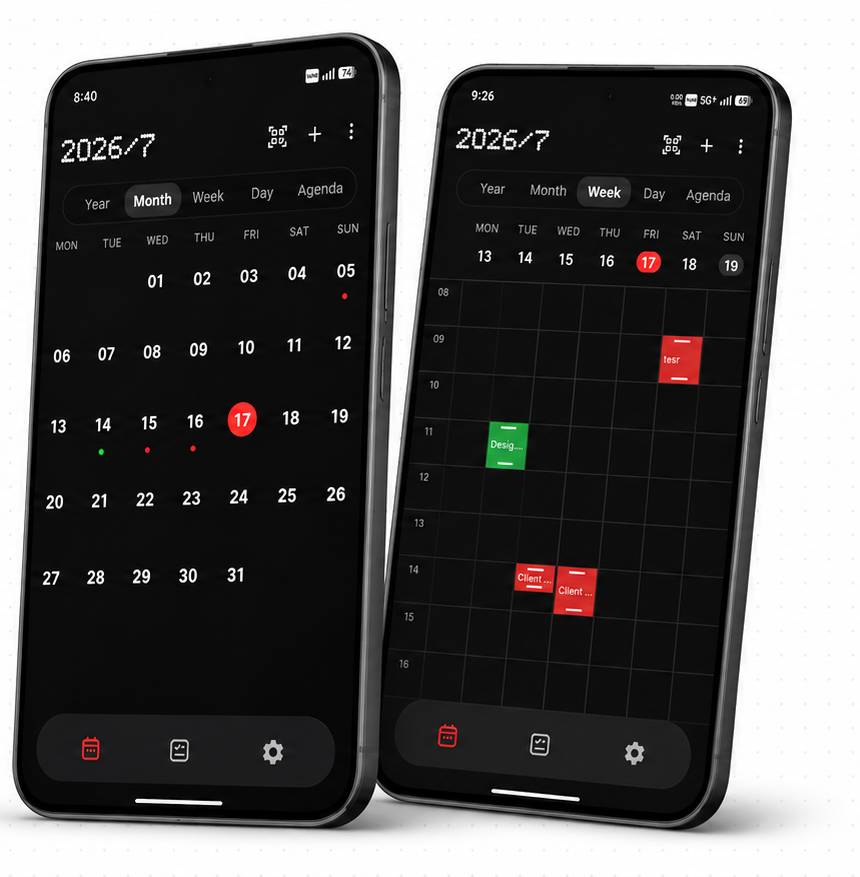
Calendar & tasks for Android
Offline calendar.
A clearer day.
Events, tasks, and reminders. Keep your plans close and your day a little simpler.
Offline-first.Life doesn't need a signal. Private by design.Your plans belong to you.
 Beautifully simple.Only what you need.
 Refreshingly ad-free.Your attention stays yours.
02 / Thoughtful details
Your local events, tasks, and reminders work without a DotCal account or internet connection.
Your plans. Always close.
Local reminders, snooze, and quick actions. Advanced alert controls when you need them.
A timely reminder.
A little more peace of mind.
Home-screen widgets for your events, tasks, and agenda. See what matters at a glance.
Less opening.
More knowing.
03 / Privacy by design
Local events, tasks, reminders, and attachments stay on your device. Dotfield Studio has no cloud calendar database.
Read the privacy policyOptional system calendar sync is handled by your selected provider.
App Lock, Vault & privacy toolsThe DotCal guide
Start simple, find your rhythm, and make space for your day.
Read the complete guideYes. Your local events, tasks, and reminders work without a DotCal account or internet connection. Optional calendar sync and downloads need a connection.
DotCal connects through Android's calendar provider. Enable calendar sync, grant calendar permission, and select your calendars. Read the sync guide.
Yes. Free includes core calendar views, events, tasks, basic reminders, and useful widgets. Optional Pro purchases unlock advanced controls and selected power features. See feature availability in the guide.
Local calendar data stays on your Android device. If you enable system calendar sync, your selected provider handles that synced data. Read the full privacy policy.
DotCal is currently an Android app. Download it from Google Play to check compatibility with your device.
Get started
Built for Android. Designed for your actual day.
Play Store reviews
from 14 ratings
Selected five-star reviews from Google Play (India). Checked . Topic groupings are editorial; ratings may change.